
Managing my practitioner account - Using a coupon code
How to Use a Coupon Code
Coupon codes allow you to receive a discount—or free access—to an Embodia course or webinar.
You can find:
-
On-demand courses under Education → Embodia Academy
-
Live webinars under Education → Webinars
Using a Coupon Code for an On-Demand Course
If you have a coupon code, you can apply it during checkout when purchasing a course. Some coupon codes may provide partial discounts, while others may give you full access at no cost.
-
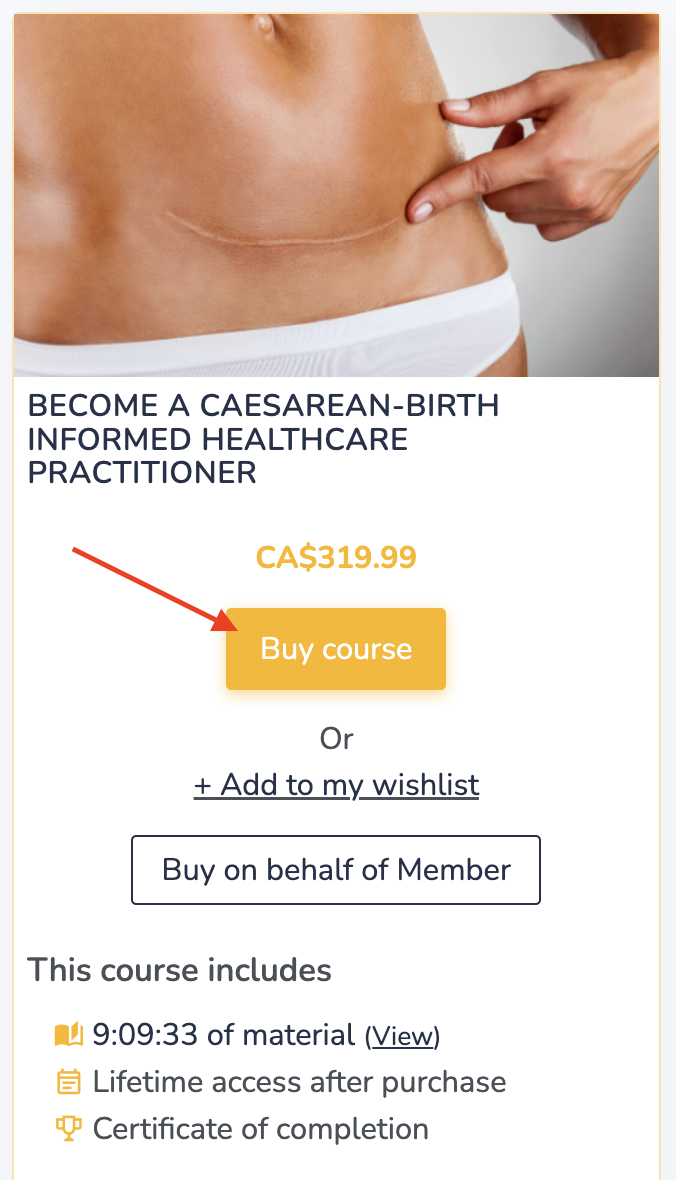
Go to the course page and click Buy Course. Note: If you are offered the option to purchase a course bundle during checkout, be sure to select the individual course. Coupon codes cannot be applied to bundles, as they are already discounted.
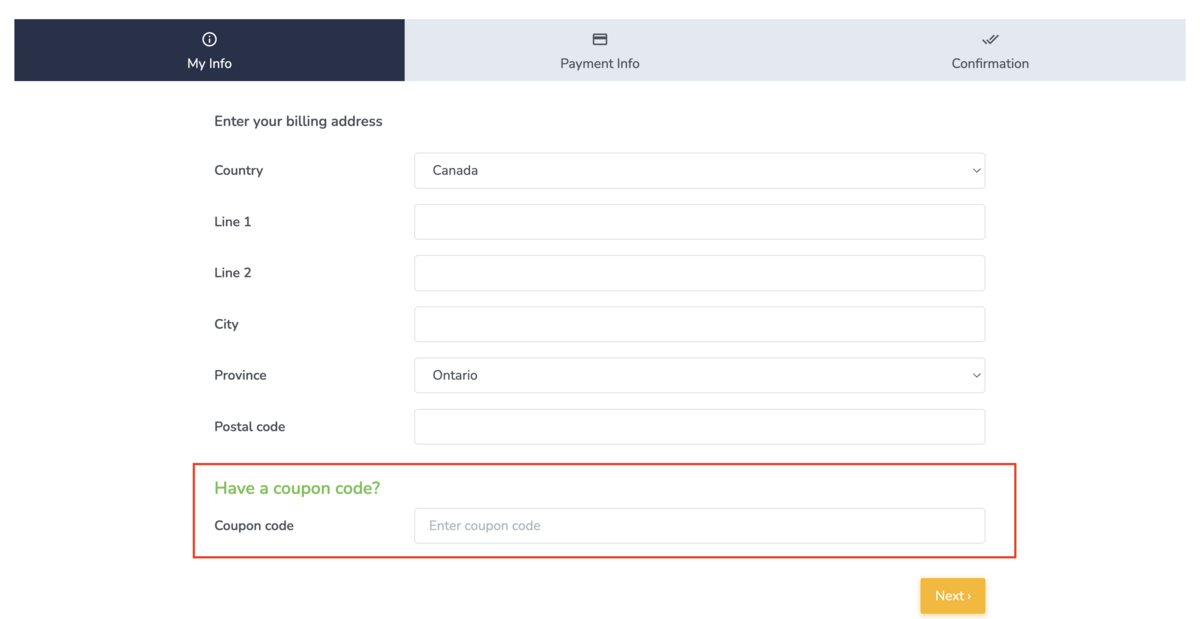
- Enter your coupon code in the coupon field:
-
The discount will be applied automatically before you complete your purchase:
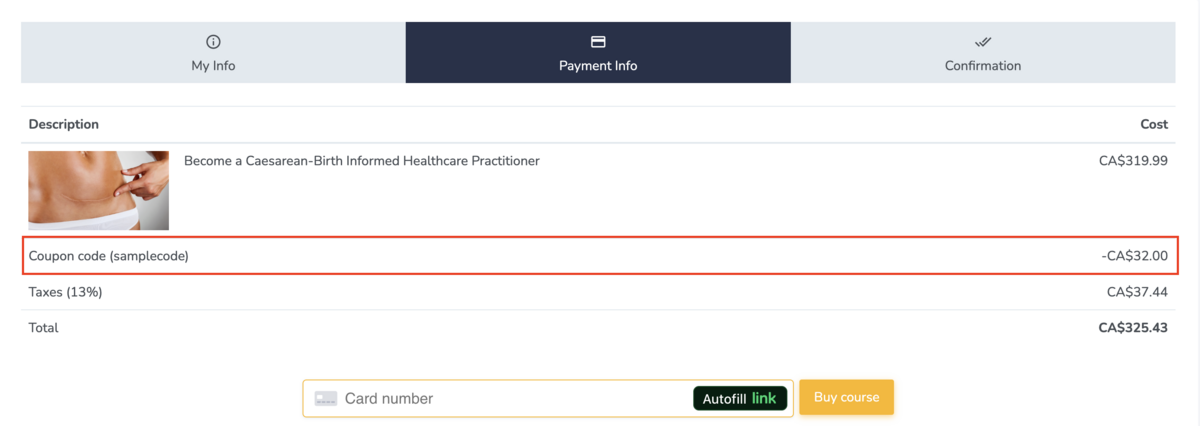
Important: Before completing your purchase, please double-check that the price has updated to reflect your coupon code. If the price has not changed, the coupon was not applied successfully. If you need assistance, please email us at support@embodiaapp.com.
Using a Coupon Code for a Live Webinar
-
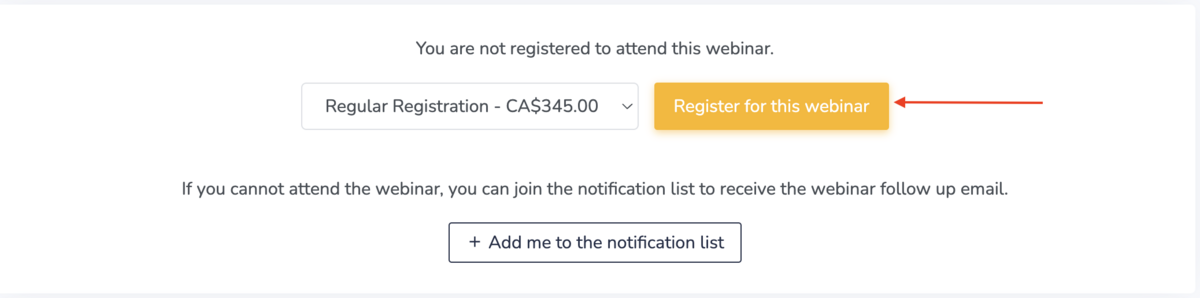
Visit the webinar page and select your registration option.
-
Proceed to checkout.
-
Enter your coupon code in the coupon field:
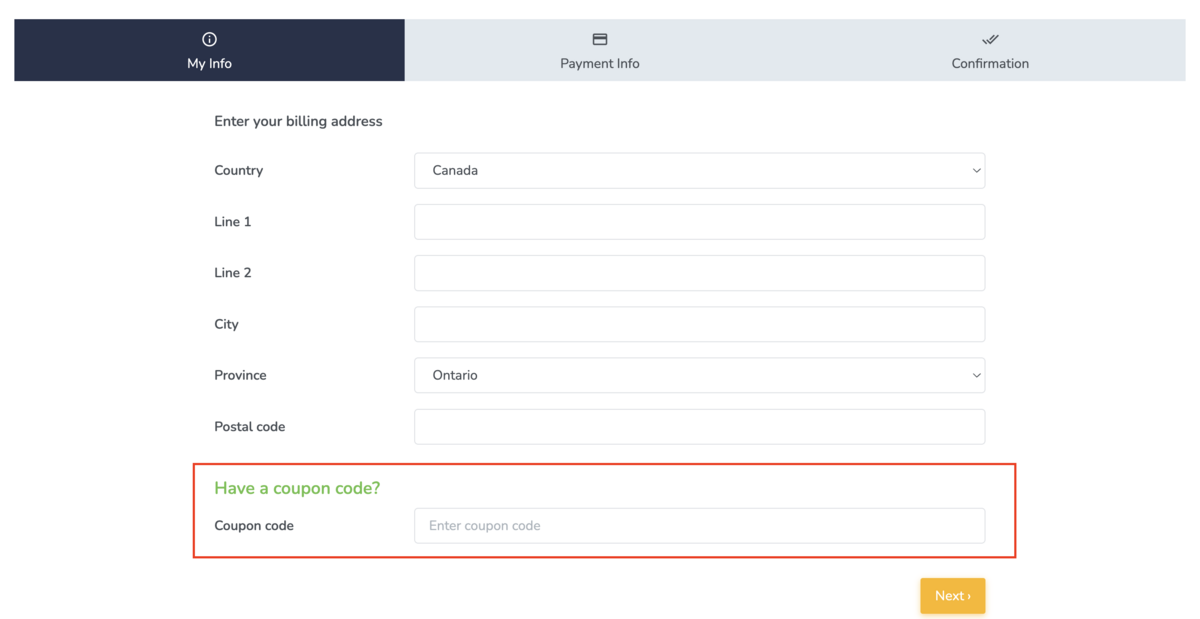
-
Your discounted (or free) registration will be applied before you complete your booking.
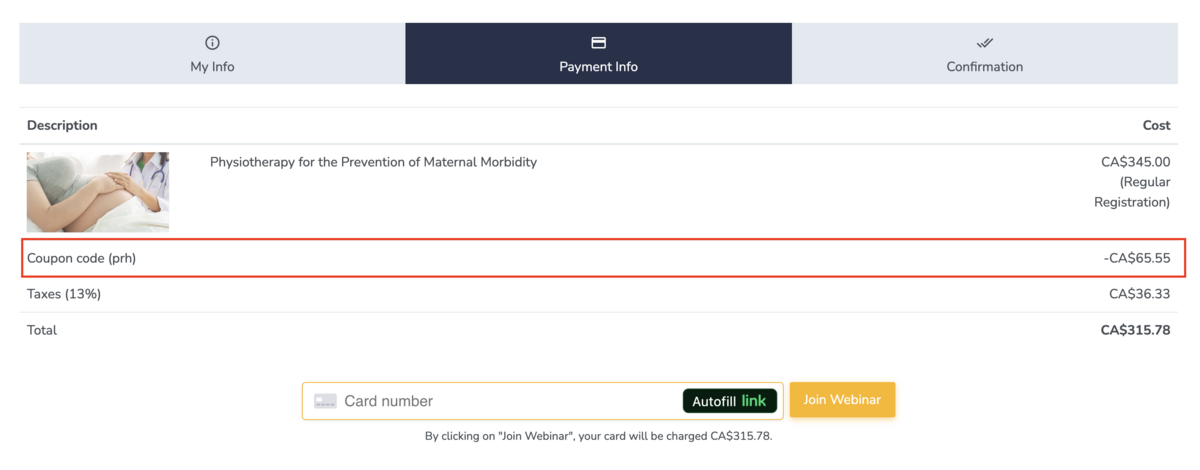
Important: Before completing your purchase, please double-check that the price has updated to reflect your coupon code. If the price has not changed, the coupon was not applied successfully. If you need assistance, please email us at support@embodiaapp.com.